
BudMinder keeps every plant's daily notes and photos, your seed inventory, want list, live sensor readings and smoke reports together in one place. It runs locally on your computer or home server, completely free and open source.
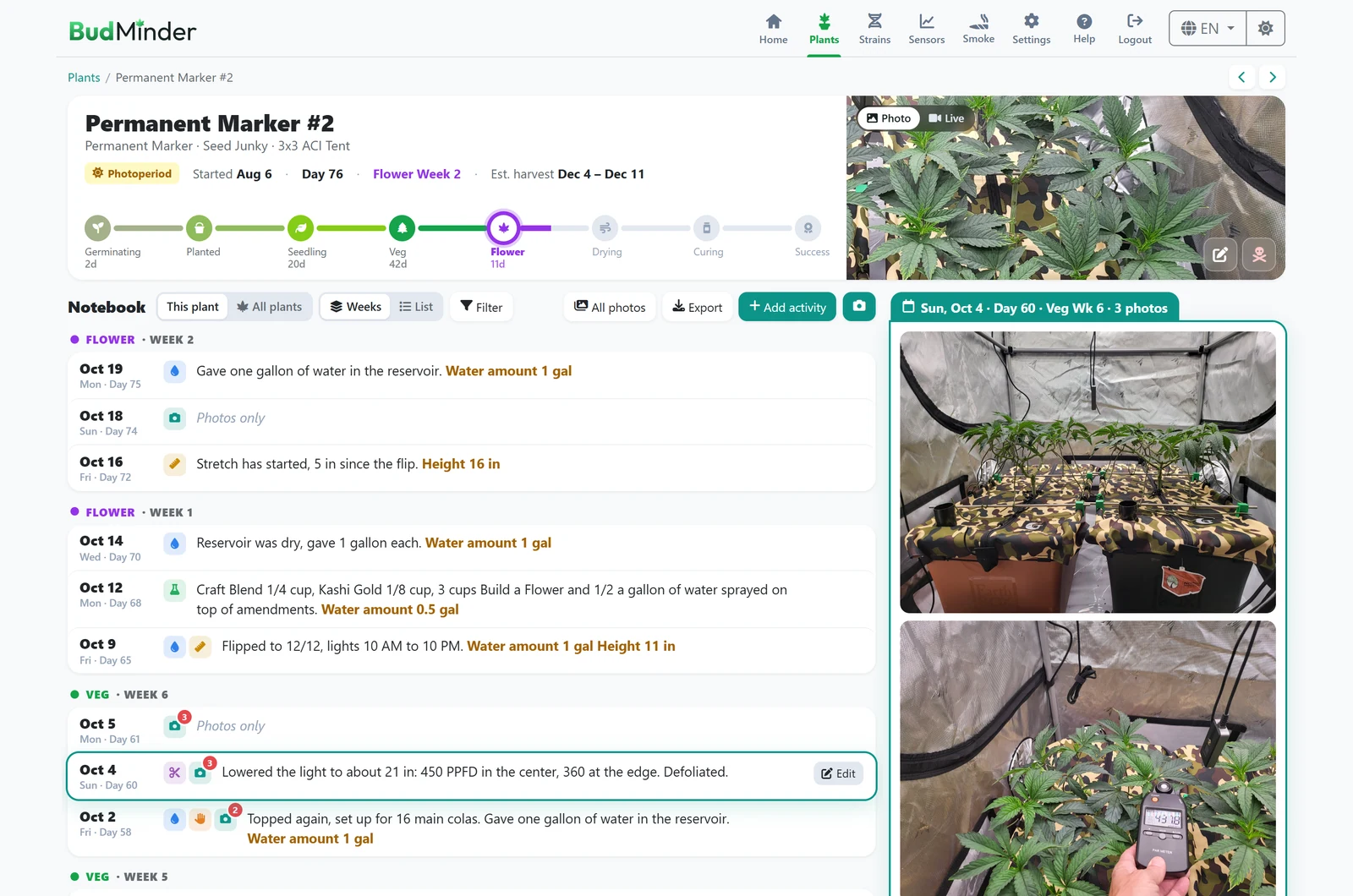
Track your grow with a journal that stays on your own hardware.
No cloud accounts, no corporate tracking, and no treating your data as a commodity to be sold.
No subscriptions or paid tiers. The code is public under the MIT license.
Each day's notes, watering and feeding sit directly beside that day's photos.
Rate every harvest or dispensary pickup. Dry and cure times fill themselves in.
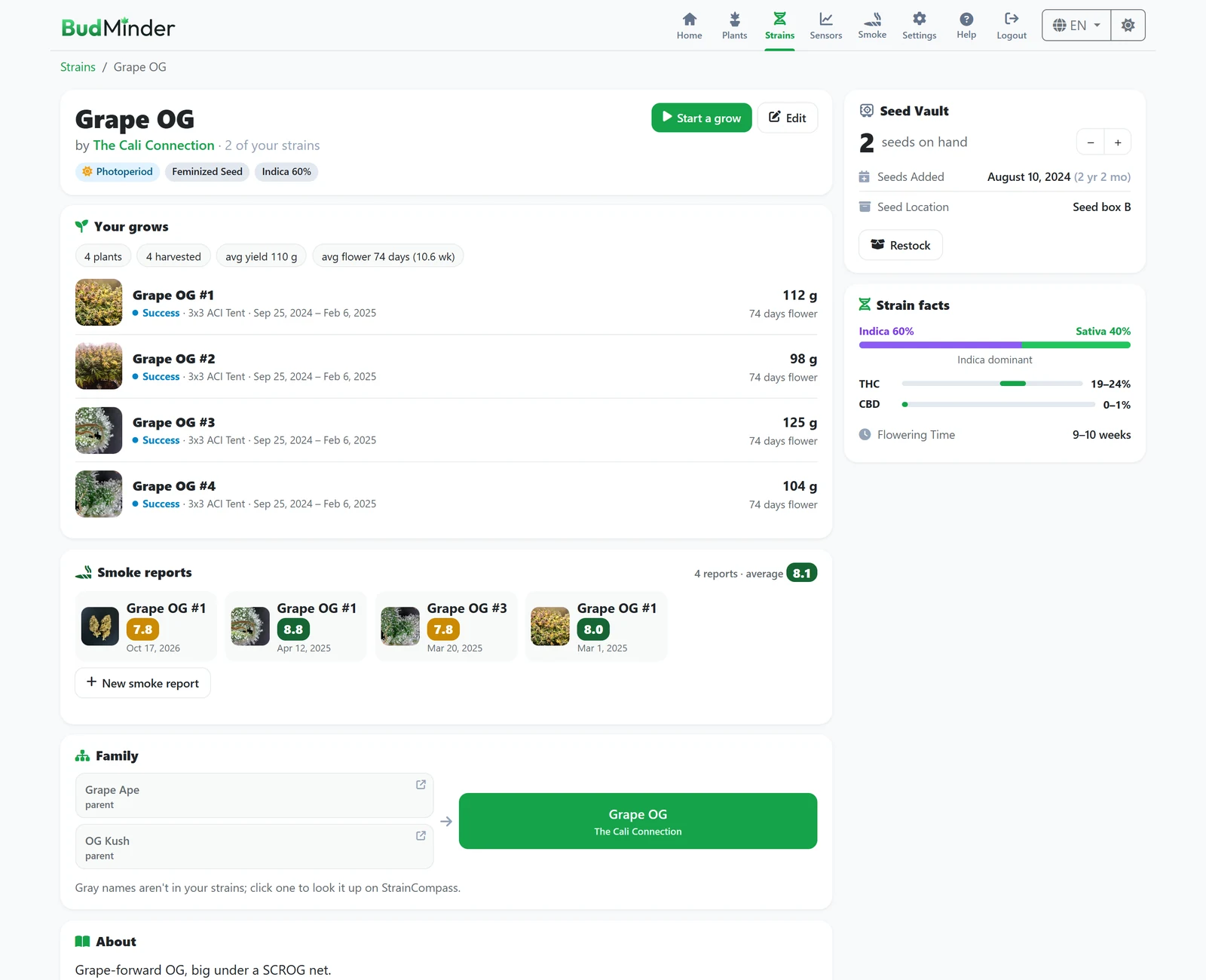
Import a strain in one click, complete with breeder, lineage, flowering times, cannabinoids and terpenes.
AC Infinity, Ecowitt, and any sensor Home Assistant knows about.
One click makes a single backup file you can restore on any computer.
Show your grow to friends without giving them editing access.
Every stage of your grow, on pages designed to work seamlessly together.
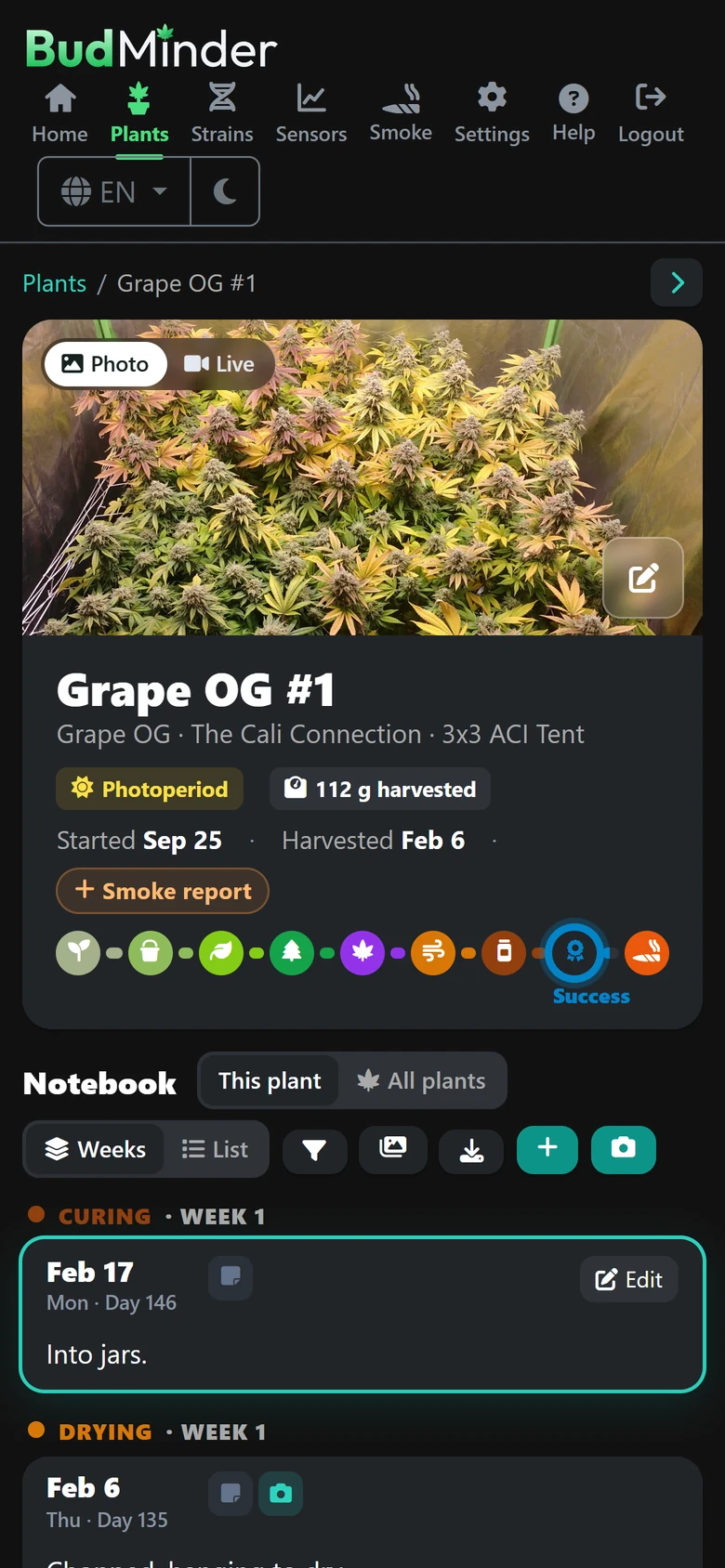
Every plant gets a journal page tracking its stages from germination to harvest, an estimated harvest window, and a daily notebook logging water, feeding, training, measurements and notes right beside that day's photos.
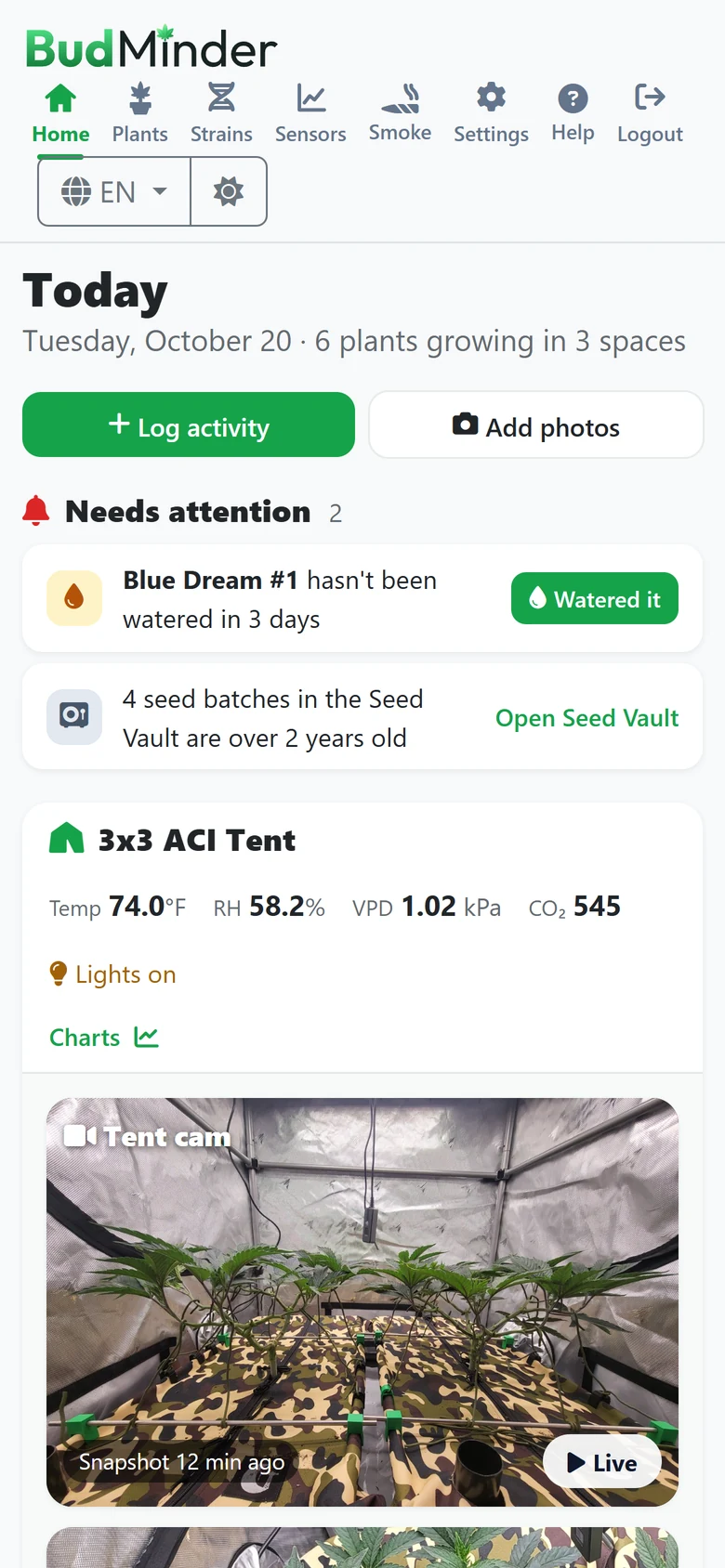
Open BudMinder and immediately see pending tasks: plants needing water or nutrients, offline sensors, and aging seed stock. Below your alerts, view each tent with its live climate readings and camera feed.

Chart every sensor in a tent on a unified timeline, from the past hour to custom date ranges. Click anywhere on a graph to drop an inspection line displaying what every sensor recorded at that exact moment.

Track active seed inventory, batch ages and physical storage locations, with automatic warnings when a pack passes two years. Start a new grow directly from your inventory list.

Rate home-grown or dispensary flower on bud quality, taste, smell and effects, then tag the aromas, flavors and effects you noticed from ready-made lists.

Click Help on any page to open contextual documentation, complete with numbered screenshot callouts matching the text.

BudMinder only reads your sensors. It never changes your device settings.
Soon you'll be able to browse a real BudMinder with an active grow: plants from seed to jar, daily notebooks, photos, seed inventory, smoke reports and 30 days of real climate readings from an AC Infinity controller in a 3x3 tent.
One application, everything built in. Free, now and always.
One compose file and a single command on any server or computer running Docker.
docker compose up -dHow to install →Add it from the Docker tab today, with one-click install from Community Apps coming soon.
How to install →Standalone desktop builds: download, run and open directly in your web browser.
How to install →Water, log activities and look up genetics from your phone; every page adapts cleanly.
Yes. BudMinder is free and open source under the MIT license with no subscriptions or paid tiers.
No. Your journal notes, photos and sensor readings stay strictly on your local hardware. BudMinder only connects outward when you request it, such as searching public strain catalogs or reading your AC Infinity sensors.
No. The journal, photos, strains, seed vault and smoke reports work completely without hardware. Connect sensors whenever you are ready.
Any platform running Docker (including Unraid and Raspberry Pi), or as a standalone app on Windows, macOS or Linux. It uses SQLite by default, with PostgreSQL support if you prefer.
A live demo is coming soon. Until then, the screenshots on this page come from the demo's real grow, so you can see exactly what BudMinder looks like.